Hi
LoGravity

Interactive 3D · Web Commerce · Brand Presentation

No-Code Interactive 3D Experiences for the Web.
Import, configure, and publish — no expertise needed.

See Live Demos ↓ Open Studio ↗

✦ Click the logo · drag the gravity slider

10+
3D & CAD Formats
AI
Built-In
AR & VR
Ready Output
Web
No Install
B2B
Focused
Tablet
& Mobile Friendly
Live in your browser

Don’t read about it.
Configure it.

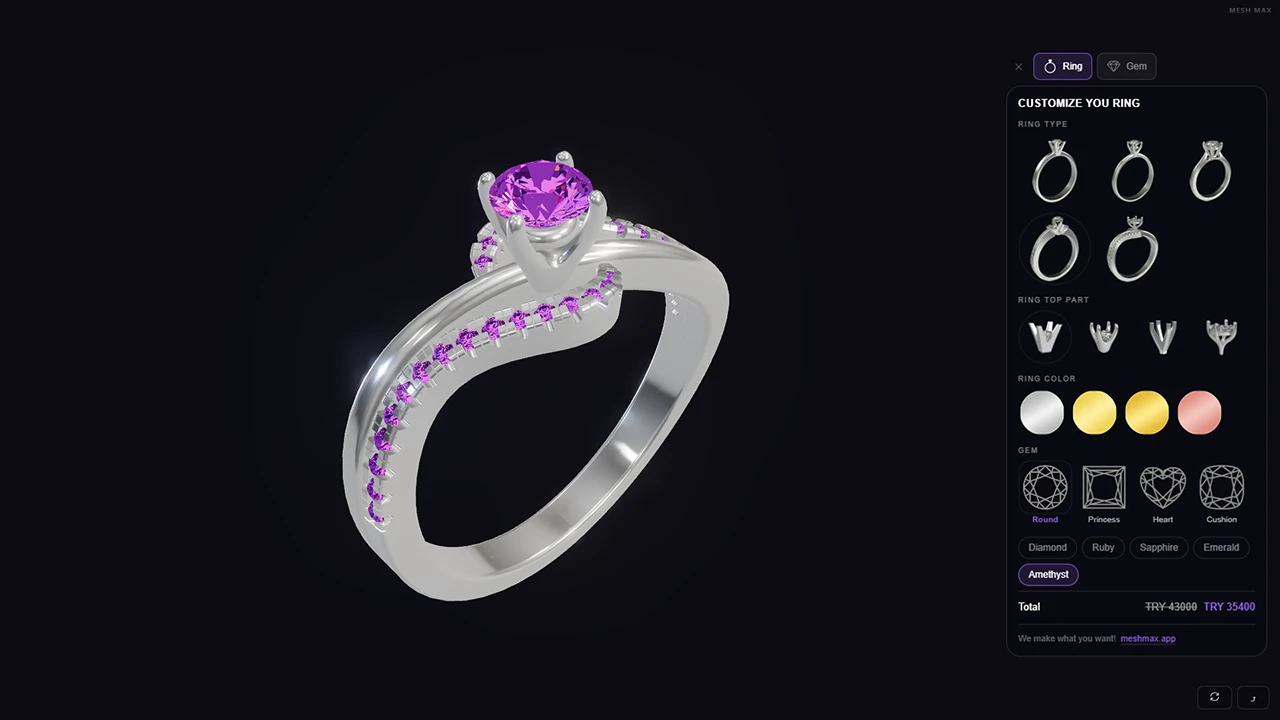
A live MeshMax export — published from the Studio and embedded here just as a customer would on their site. Try the configurator. Now picture your own product in its place.

Open the full Studio ↗
Live Demos

Real products, fully configurable.

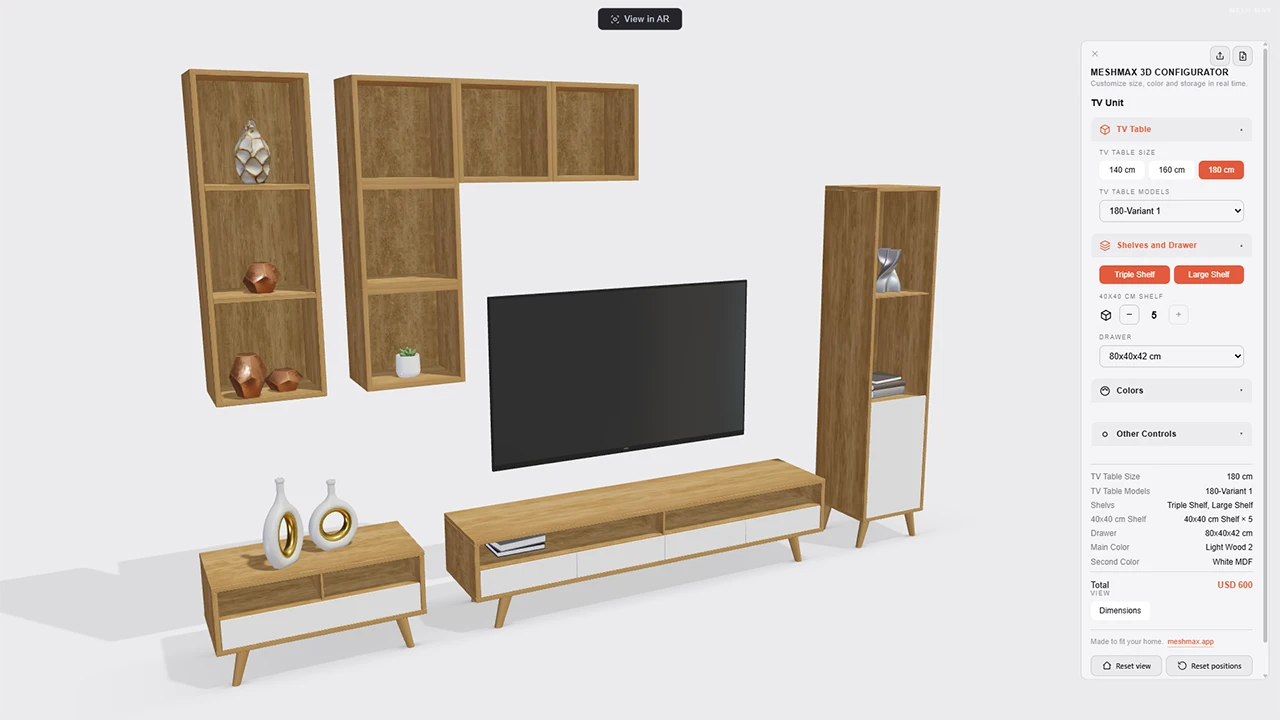
Explore production-ready MeshMAX configurators — change materials, parts, and options in real time, with live pricing that updates as you build. Published from the Studio, running right in your browser.
Why MeshMAX

Your products deserve
more than flat images.

Interactive 3D used to require expensive tools and years of expertise. MeshMAX changes that — any business can create, configure, and publish 3D experiences to the web without writing a single line of code.

How it works

From file to live,
in three moves.

01

Import or Generate

Drop in a GLB, FBX, or OBJ — or turn a photo into 3D with AI.

02

Configure & Animate

Materials, colors, lighting, interactivity, scroll animation — all visual.

03

Publish Anywhere

Embed a viewer, launch WebAR, or export a GLB. One click, no code.

The Platform

A complete 3D toolkit —
beginner-friendly, pro-capable.

01

Bring your 3D in

Drop in GLB, GLTF, FBX, OBJ, STL, Blender and CAD files (STEP, IGES) — or generate a 3D model with AI from photos. No conversion, no plugins, no setup.

GLBFBXOBJSTLBLENDSTEPIGESAI
02

Visualize in AR & VR

Customers place your product in their own space, or step inside your scene with a VR headset — straight from the browser. No app to download.

WebARWebVRUSDZNo App
03

Photo to 3D with AI

No 3D model yet? Turn one or several product photos into a 3D model in minutes. No scanning gear required.

Single PhotoMulti-Photo
04

Product Configurator

Real-time color, material, and variant switching, plus smart rules that reshape the options as customers choose. Built-in analytics show which configurations sell. The 3D shopping experience that turns exploration into conversion.

ColorMaterialAnimateCameraSmart RulesAnalytics
05

Interactivity

Make every product touchable. Clickable hotspots, hover info cards, fly-to-detail camera moves, branching states, and triggers that fire on click, hover, or scroll. Direct it all on a timeline, add ready-made motion behaviours, and move whole assemblies with rig controllers — without a line of code.

HotspotsStatesTriggersTimelineBehavioursRig Controllers
06

Scroll Storytelling

Guide visitors through your product as they scroll — chapter transitions, camera moves, and on-screen overlays at the right moment. The cinematic product page, without code.

ChaptersCamera PathOverlays
07

Camera Direction

Save the angles you love, then move between them with smooth tweens. You direct how customers see your product.

Saved ViewsSmooth Tweens
08

AI Renders

Generate photorealistic image and video renders of your 3D scenes — directly in the studio.

ImageVideoUpscale
09

Export & Publish

Get a hosted live URL, embed it on Shopify / Wix / Webflow / WooCommerce, or export GLB and USDZ files. One click, no code.
Hosted URLiframeWeb ComponentGLBUSDZ

The Dashboard Beta

Manage everything —
without opening the Studio.

A dedicated control center for your live 3D commerce. Run projects, products, and styling from one place — the Studio is for building, the Dashboard is for running.

01

Projects & Products, managed

Organize projects and product data from one dashboard — no need to open the Studio. Built-in analytics show how your published 3D experiences perform: views, sessions, and which options customers pick. Commerce platform integrations are on the way.

ProjectsProductsAnalyticsCommerce · soon
02

Style with AI

Restyle a configurator’s panel — swatches, buttons, text, sizes — without opening the project. Adjust by parameters, describe the look, or drop a reference image and let AI match it.

Style by AIReferenceCustom CSSNo project open
03

Website Embed

Put your 3D straight into your own website. Pick a project, set its size, position and scroll behaviour, preview it live, then copy one short snippet — it works on Shopify, Wix, Webflow, WordPress or any page.

Live PreviewOne SnippetAny WebsiteNo Code
04

Pages — no-code page builder

Give any 3D project its own landing page. Let AI build the whole page from a prompt and references, then edit every text and image right in the dashboard — even generate images with AI. Freeform or section-based, published on your own domain.

AI PagesSectionsAI ImagesOwn DomainNo Code
See a page made by AI ↗
try.meshmax.link ✦ Made by AI
AI, throughout

AI runs through everything.

Not a bolt-on chatbot — AI is built into both the Studio and the Dashboard, helping you create, configure, and manage. It even answers in your language.

In the Studio

Create faster

  • AI Scene Builder — describe a scene or drop reference images, and AI builds and arranges it for you.
  • AI Materials — generate realistic, fully textured materials (base color, roughness, normal & more) from a prompt or reference image, then fine-tune.
  • AI Lighting — let AI light your scene for you.
  • AI Configurator — name your parts, then build a working configurator just by prompting; refine the details after.
  • AI Assistant — ask how any tool works and get answers in your language.
In the Dashboard

Manage smarter

  • Pages — AI builds a full no-code landing page for any project from a prompt and references; edit every text and image in place.
  • AI Images — generate images with AI and drop them straight into a page.
  • Style with AI — restyle a configurator’s panel from a prompt or a reference image, no project open.
  • AI Assistant — a dashboard help center that knows every section, multi-language.
AI Tools

Generate 3D & visuals with AI

Photo & Text to 3D

No 3D model yet? Turn product photos — or just a text prompt — into a ready-to-use model in minutes, so you can start even without existing assets.

AI Renders

Generate polished product images and videos from your 3D scenes — ready for your website, ads, or catalog, with no photoshoot.

AI Upscale

Sharpen and upscale your renders for hero-quality output.

MeshMAX Studio
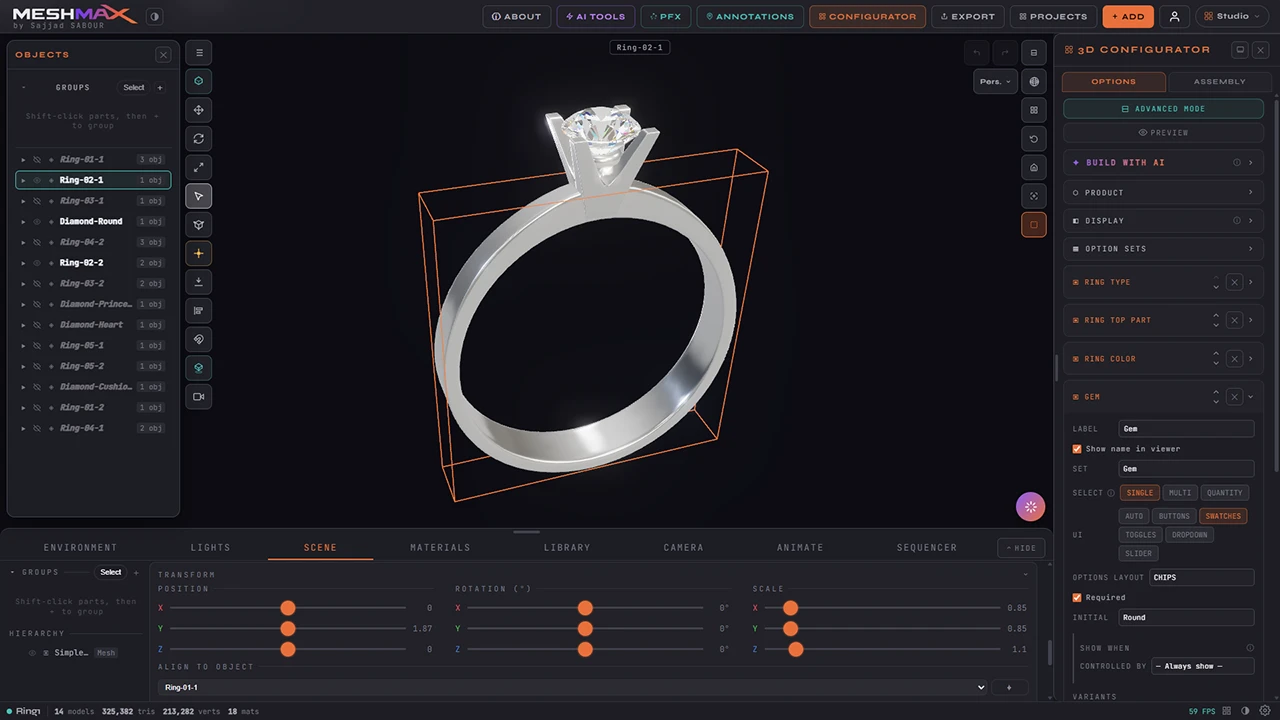
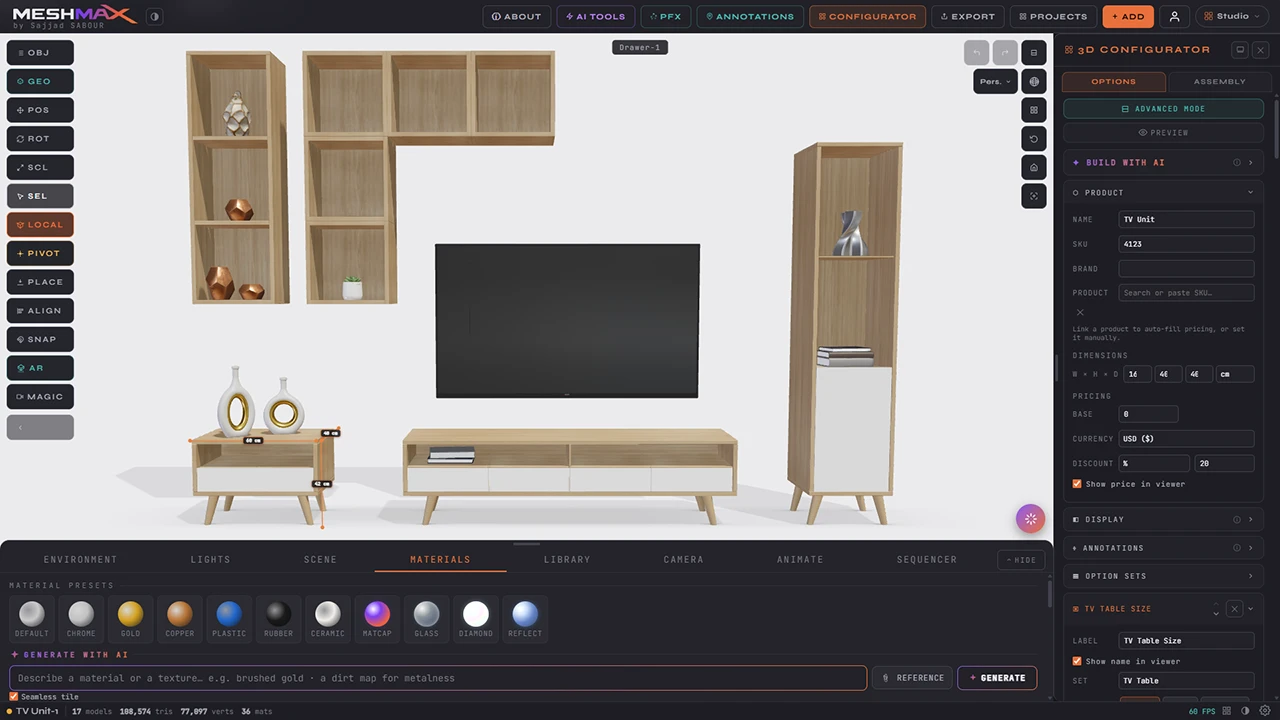
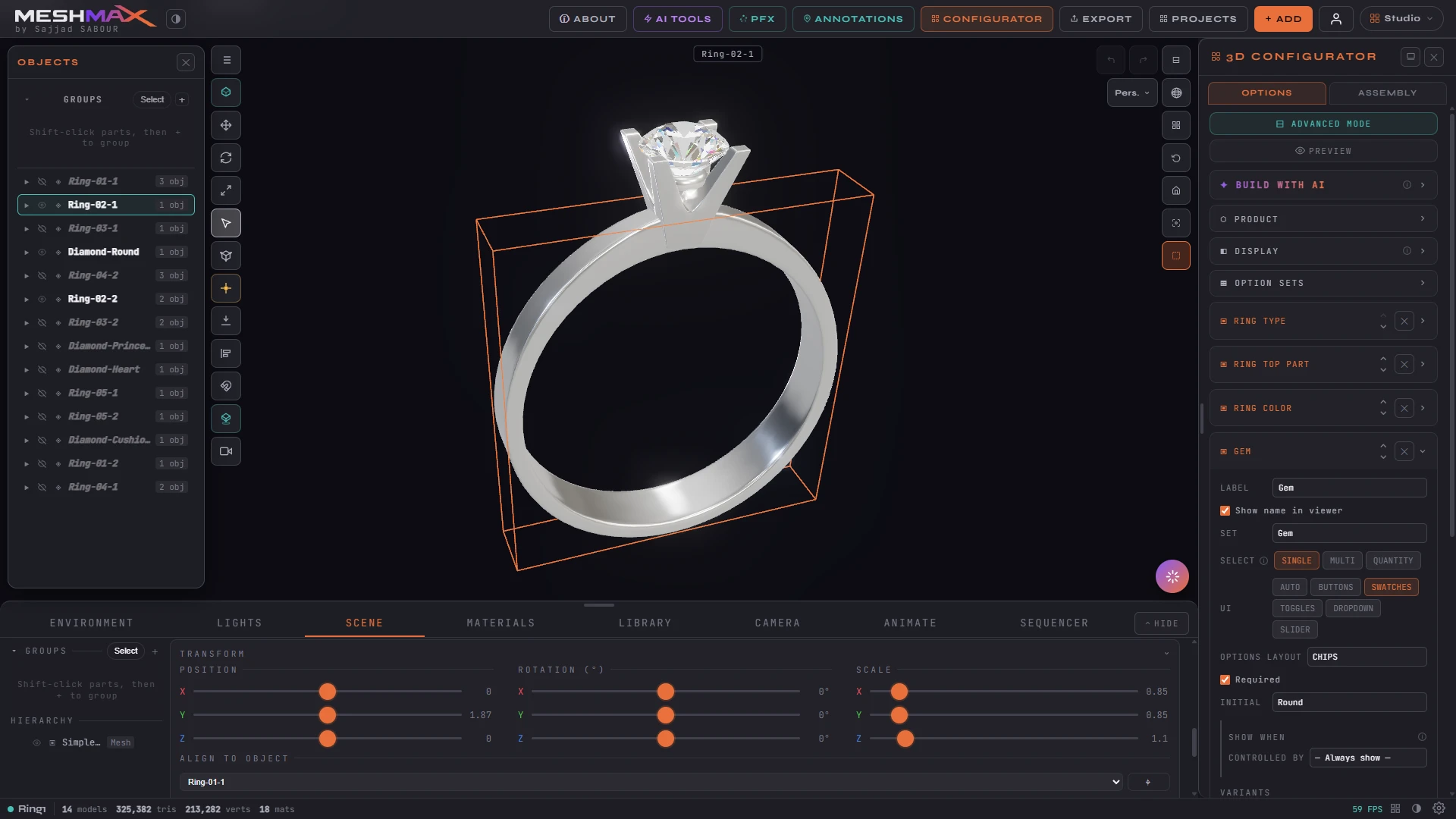
Inside the Studio

Build it all in your browser.

Model, configure, light, and publish — no installs, no code. The full 3D studio, running on the web.

Open the Studio ↗

Use Cases

Made for every industry
that creates in 3D.

Get Started

Start building
in 3D.

MeshMax is live and free to use. Create an account to start — or leave your email to stay in the loop on what ships next.

Create Free Account →
or stay in the loop
Thanks — you’ll hear from us soon.

Something went wrong — please try again.

Product updates · Unsubscribe anytime